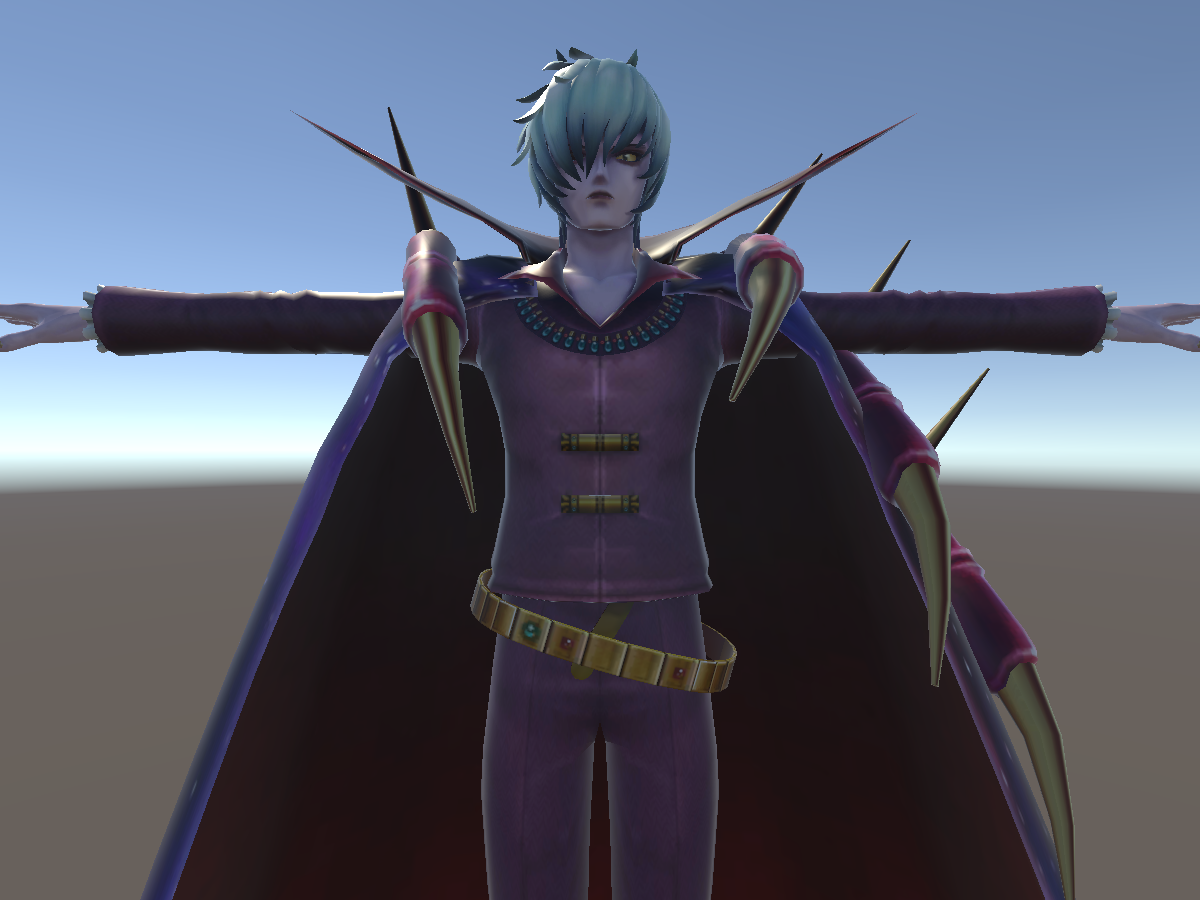
About VampireLord
VampireLord is a public avatar by Darmey. It is published for an unspecified platform, and its performance rating is not reported. The creator tagged it other.
The record was last updated on December 19, 2017.
Platform support
Only a PC (Windows) build is listed. Quest users will either not see it or get the fallback representation, so if you need it on a standalone headset, check whether the creator publishes an Android version.
Performance and load
No performance rating is attached to this record. That usually means the creator did not publish one, not that the avatar is heavy. Because there is less to judge from, the reliable check is VRChat itself: open the avatar in game and read the rating shown on the avatar card before you wear it in a crowded world.
For an unrated avatar, a quick manual check covers most of the risk: how many materials it uses, how large the textures are, how many shape keys and toggles it ships with, and whether an Android build exists. Creators usually document these on their store page or in the listing text.
How to open it with the avatar ID
The avatar ID is avtr_d6c9df6a-4fc9-4e53-9483-0ce4cb1c1663. On the official site, opening vrchat.com/home/avatar/avtr_d6c9df6a-4fc9-4e53-9483-0ce4cb1c1663 shows the avatar page, and once you are signed in you can select it from there.
In game, paste the ID into the search field of the avatar menu, or use the launch link on this page (the vrchat:// scheme) to open the client directly on the avatar. When you share it with a friend, the ID is the most reliable thing to send: names change, IDs do not.
Note that a public avatar is not automatically free to clone or re-upload. Check the creator’s terms before you copy or modify it.
What this record does not tell you
The underlying record does not include a performance rating, a price (it is a public avatar, so there is none), a listing date and platform details. A missing field means the data was not published, not that the avatar is worse — if it matters to you, the avatar card inside VRChat or the creator’s store page is the authoritative source.
This site indexes public data and does not guarantee what the avatar contains. The final check should always be the official avatar page inside VRChat.
Before you wear it
The first thing to check is the material and texture budget. Even at a healthy tier, turning every toggle on at once can push the cost up noticeably.
Finding more like this
The quickest way to find more in this direction is to search VampireLord and other. Name fragments tend to follow the creator’s own naming habits, while tags carry the style classification, so combining one of each usually beats either on its own.
The “similar avatars” strip below this article is ordered by visual similarity instead of text, which is the faster route when the look matters more than the name.
At a glance
Not a marketplace listing: it is a public avatar. Release status: public. No impostor version is provided.
Tagged other. Those are the terms this page is most likely to be found by, which is also a decent summary of what the avatar is.
Common questions
Q. Is VampireLord free? A. It is indexed as a public avatar rather than a marketplace listing, but the creator’s own licence still decides what you may do with it.
Q. How do I open it? A. Paste the ID avtr_d6c9df6a-4fc9-4e53-9483-0ce4cb1c1663 into VRChat’s avatar menu, or use the launch link on this page.